Turn your Excel model into a reusable team asset
The engine that makes models easy to hand over, update and publish
Excel Add-In • Visual logic • Automated checks • Convert to web app
With Excel only
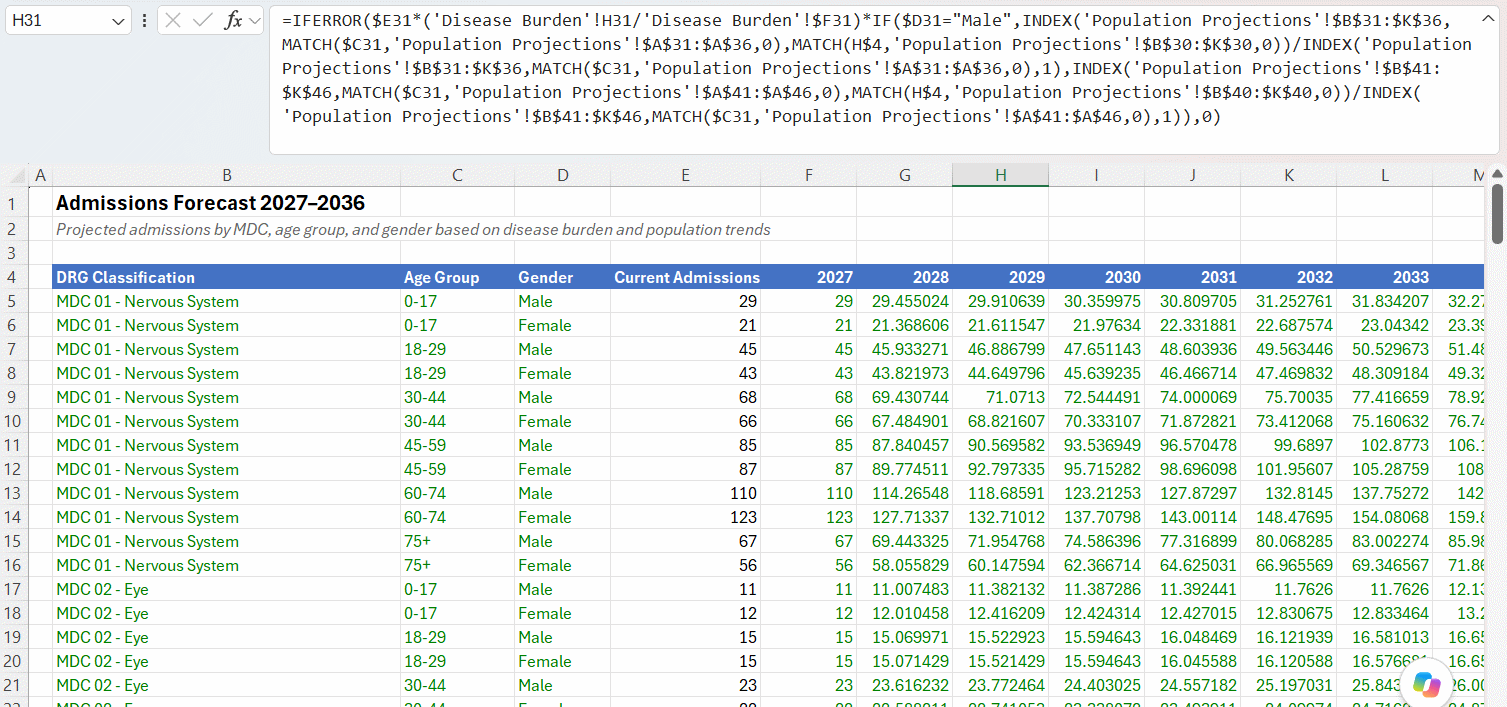
Hidden logic. Rules that are easy to say in words become 6-line formulas that are hard to validate.
Copy-paste risk. Formulas are copied across many cells, so one mistake spreads quietly.
Hard to check. Intermediate results are buried inside long formulas, so you can't see them.
With River for Excel
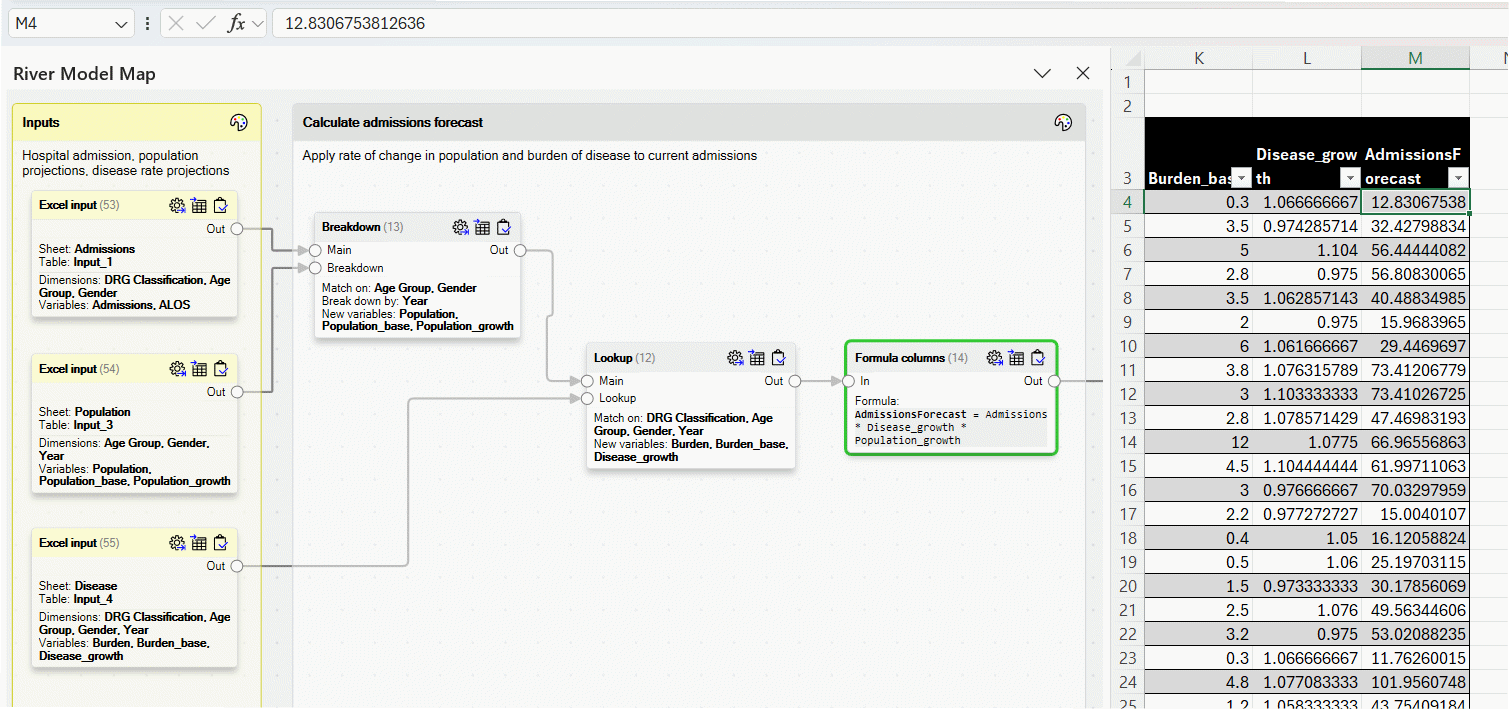
Visible logic. The map shows how inputs flow to outputs.
Safe operations. Each step does one thing, with built-in checks.
Still Excel. Everything stays in the workbook, and any intermediate result is one click away.
Click a screenshot to enlarge it. Use the arrow keys to switch between the two.
With Excel only
Hidden logic. Rules that are easy to say in words become 6-line formulas that are hard to validate.
Copy-paste risk. Formulas are copied across many cells, so one mistake spreads quietly.
Hard to check. Intermediate results are buried inside long formulas, so you can't see them.
With River for Excel
Visible logic. The map shows how inputs flow to outputs.
Safe operations. Each step does one thing, with built-in checks.
Still Excel. Everything stays in the workbook, and any intermediate result is one click away.
Click a screenshot to enlarge it. Use the arrow keys to switch between the two.
GROW YOUR PROPRIETARY KNOWLEDGE
Models that are easy to understand and to hand over
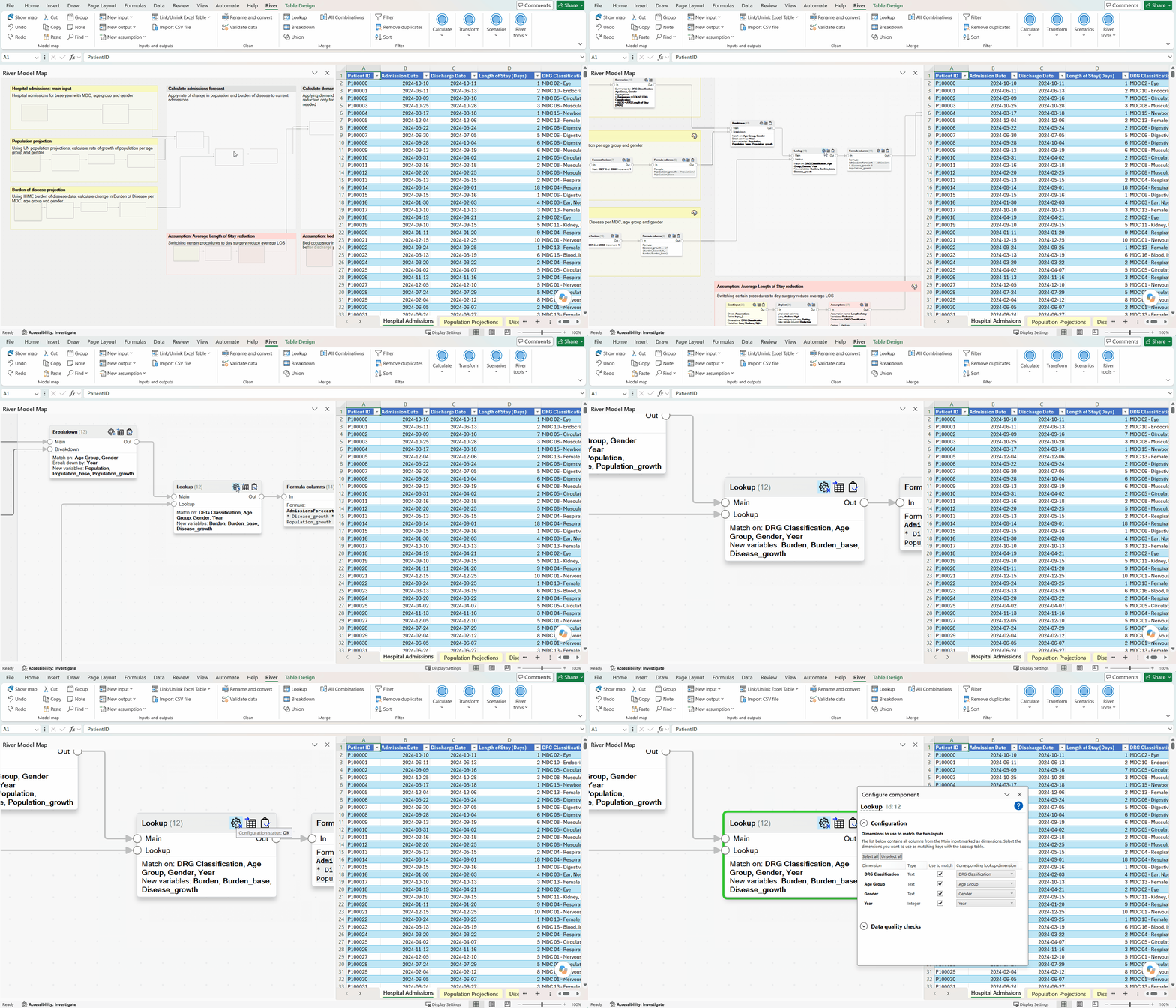
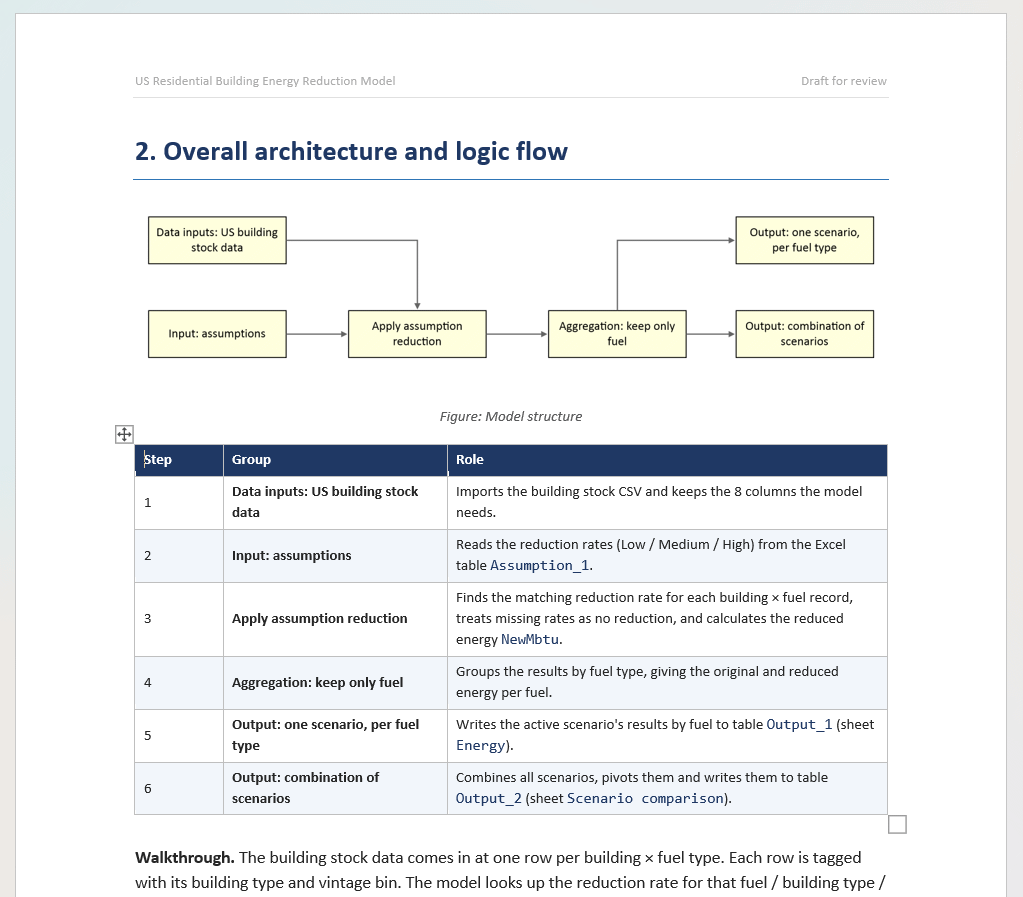
A trusted model clearly exposes its logic, inputs and outputs, assumptions, transformations and parameters. River structures this knowledge and saves it in the model, without formulas.
Easy handovers between modelers keep the knowledge in your team. Experts, clients and managers can review and validate the model smoothly.
- Explore the structure of the model with the visual model map on the left. Zoom out to see commented groups, browse operations
- Trace the logic. Following data connections show you where data flows.
- Visualize parameters of transformations in the configurator window without deciphering formulas.
- Explore data at any point intuitively in Excel Tables to confirm the results match your expectations. Filter, sort, color, cross-check.
SCALE THE IMPACT OF YOUR MODELS
Update models efficiently and with confidence
Refreshing input data, changing assumptions and editing scenarios are typical of a model's lifecycle, often done right before (or during) critical meetings.
River is designed to make all these changes efficiently while keeping confidence in the results. Even modeling logic changes can be done reliably at short notice.
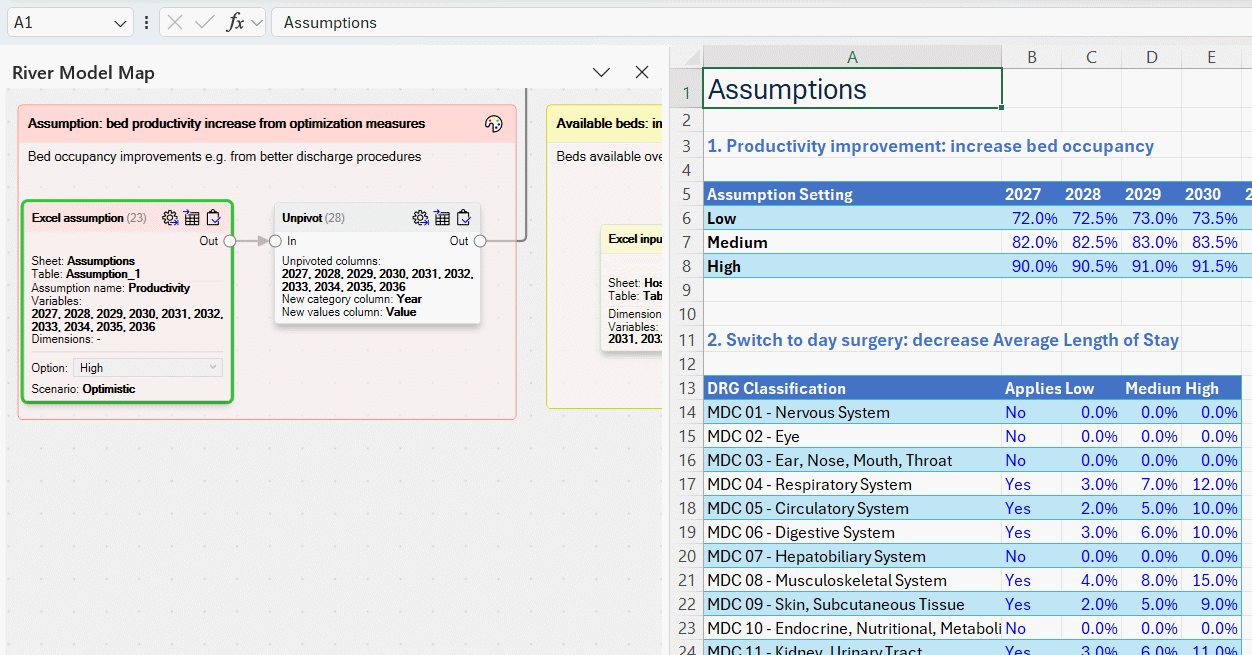
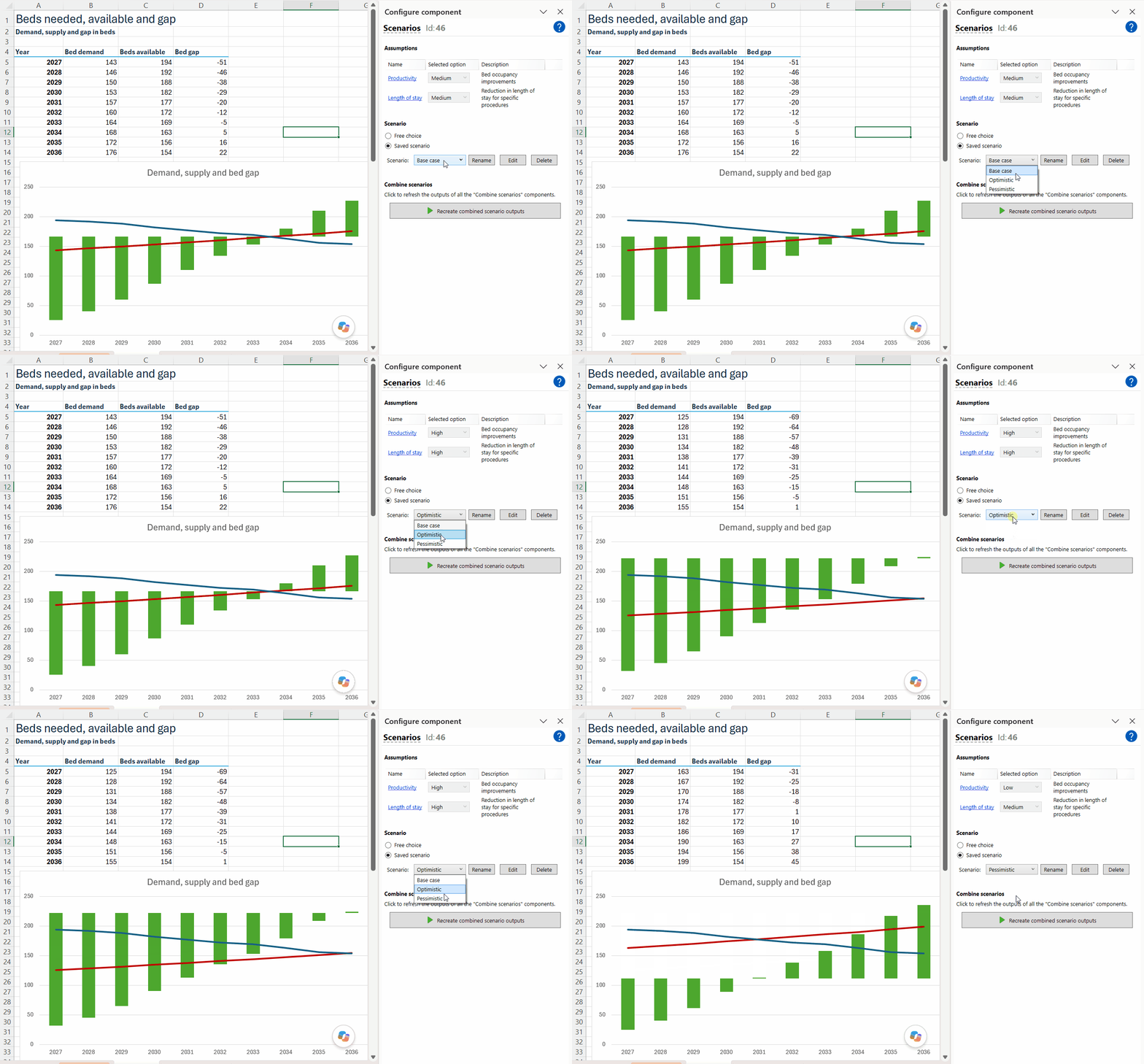
- Update inputs and assumptions without ambiguity: click each yellow and pink block and update the Excel Tables that show automatically.
- Update scenarios in one click. The scenario manager lets you add or update scenarios in one click, without having to touch a formula.
- Detect issues in new data before they affect results. Built-in quality checks automatically run, showing red warning signs e.g. if a value is missing where it shouldn't.
- Change logic without rebuilding the model. The model map lets you swap built-in operators or reroute data with confidence. The error detectors will let you know if something is off.
INCREASE STAKEHOLDER ENGAGEMENT
Publish your model as a web app, without rewriting it
Most Excel models end up as static reports. Stakeholders see a chart, while deeper insights stay locked in the workbook.
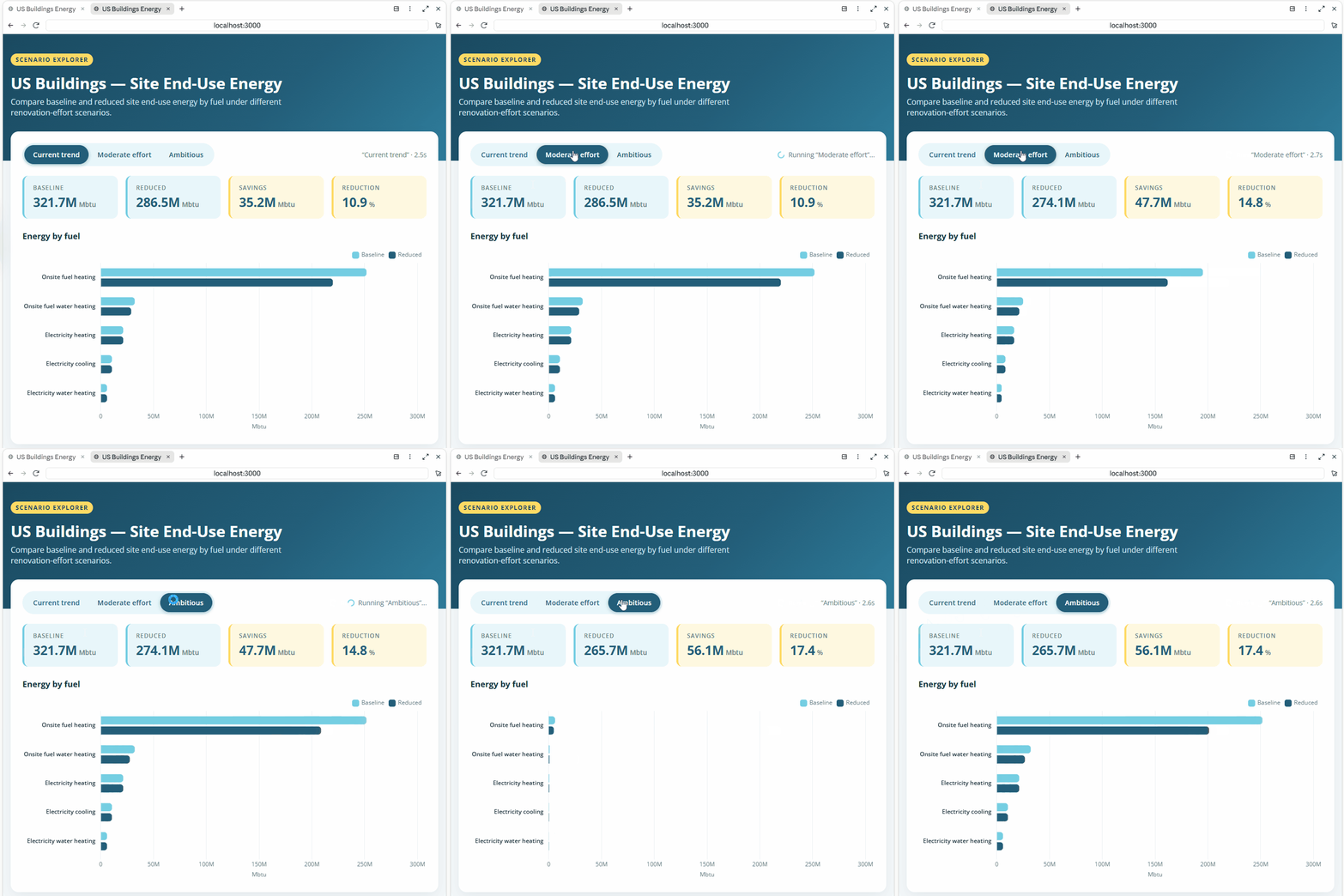
River publishes the model as an interactive web app. Your Excel file stays the single source of truth.
- Publish in one click. Turn your model into a web app for colleagues, clients or the public.
- Replace Excel dashboards. A web app shows results interactively and is more flexible than Excel.
- Control what users can change. Viewers can explore your scenarios or build their own.
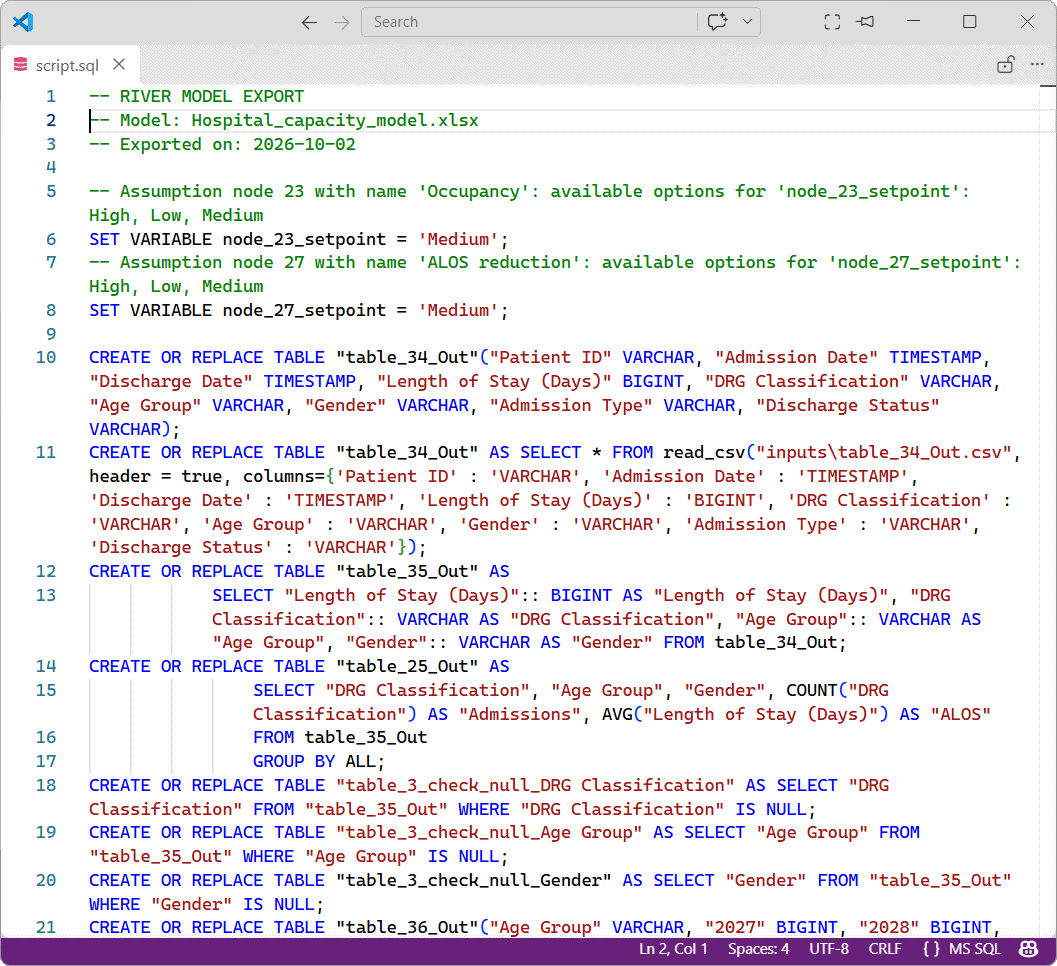
- Keep full fidelity. The model is exported as code. AI builds only the front end, never the logic.
- Automate documentation. AI tools use the Markdown export to document your model.
Get started with River
Install the trial version and test it for 14 days or let us walk you through a demo.
How to start using River?
River is fully contained in an Excel Add-In, making installation easy
1
Get a free licence
No credit card needed.
2
Install the Excel Add-In
Download the installer and follow the instructions.
3
Start modeling
Open Excel and start building models right there! Our in-tool tutorials will help you get started.
4
Share your models
Simply share your models as any Excel workbook, by email or in a shared folder.
Try the River Add-In today.

Designed by former McKinsey consultants
Based on decades of observing the same problems, we've built River to help business analysts, modeling experts and consultants have a more satisfying modeling experience and elevate the quality level in the profession.
Frequently asked questions
Of course! It is strongly encouraged. River models are saved inside the Excel workbook together with the data it uses, making sharing very easy.
You currently need a license to be able to view the model in a workbook, but we're designing a "viewer" version that will allow people without a license to open the model in read-only mode.
If you just want to keep the model for reference, no need to do anything. When your current River license expires, you will always be able to open the Excel workbook and see the input and output data of your model. With the "viewer" version of River, you will also be able to see all the modeling logic and its parameters.
If you want to recreate your model using plain Excel (or another tool), you can use it as a guide during your rebuild.
We come from the consulting industry, where protection of client data is a top priority.
Therefore we designed River so that it runs entirely on your computer, and no data from your workbook is ever leaving.
The only data that River can send is application usage data, to help us build the product. And you can decline this option.
River has been carefully designed to have the smallest possible footprint.
It is packaged in a single Excel Add-In, doesn't send data outside your computer and can be deployed using corporate IT tools.
If you already use think-cell (another popular Add-In), chances are your IT will easily approve it. Otherwise feel free to contact us at info@river-solutions.com.
We have an extensive in-application documentation and tutorials.
We currently provide support via email directly.
Want to know more? Get in touch!

Supported by
Fondation Genevoise pour l'Innovation Technologique
River has been awarded Innovation Initiation Support by FONGIT