Publish your Excel model as a trusted dynamic website with River and Claude.
You built a powerful model in Excel. Now your client wants an interactive web tool. River makes it a matter of minutes, and maintains full trust in the model through iterations.
CHALLENGE
Publish Excel models online and allow changes
SOLUTION
River export + Claude front-end
RESULT
Trusted interactive website
0
lines of code
30 min
from Excel model to live app
100%
model logic preserved, auditable and deterministic
THE RESULT
A dynamic website in minutes
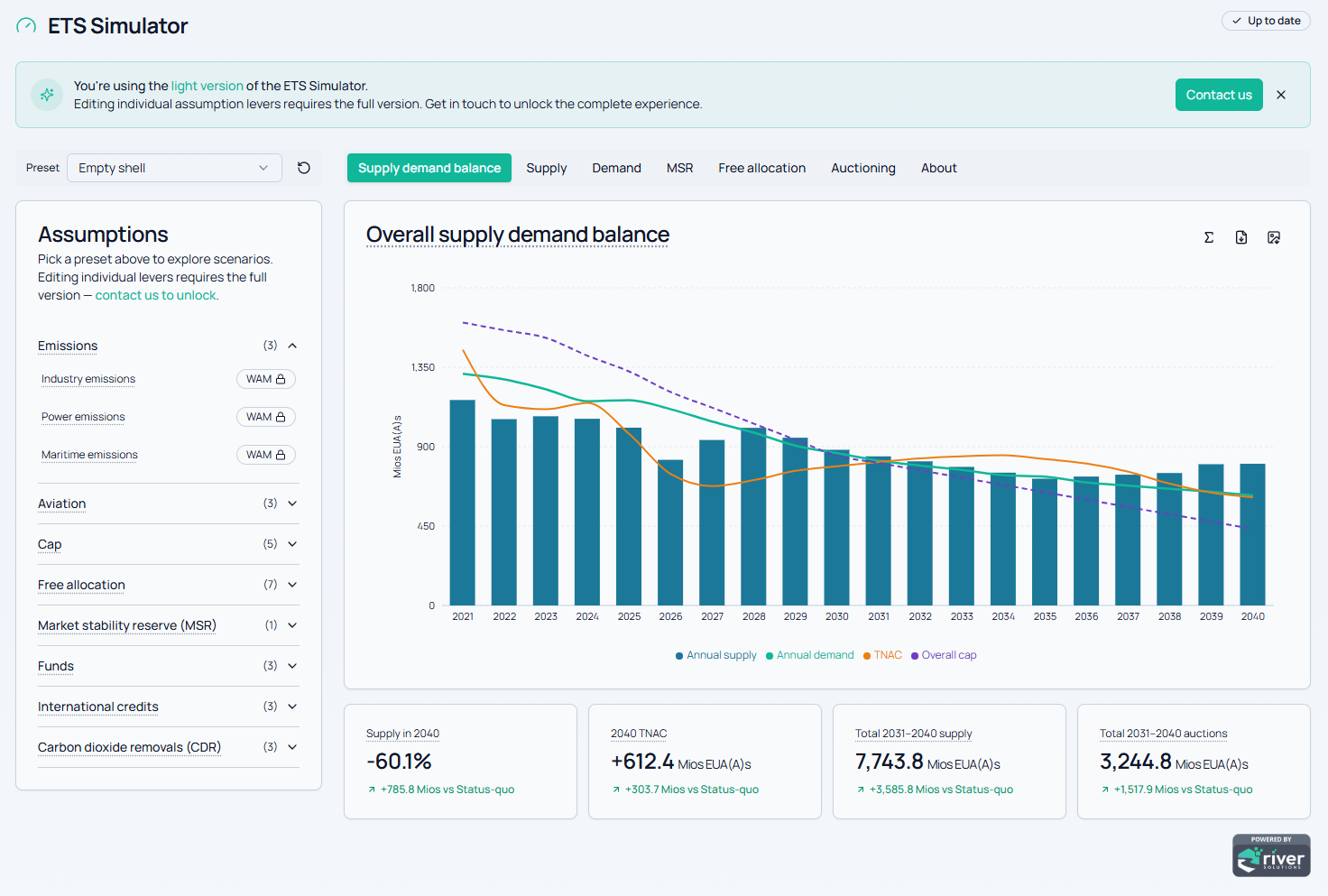
This website was built using the ETS model and is published at https://my.climact.com/tools/ets-simulator (requires registration).
Every time the user changes the "preset" scenario, the actual River model runs. This ensures fidelity with the original model and makes model updates extremely fast.
HOW IT WORKS
From Excel workbook to live web app with River and Claude

Get started with River
Install the trial version and test it for 14 days or let us walk you through a demo.
THE PROBLEM
Why publishing a model is harder than it looks
A simple way to publish a model is to extract its output data and embed it in a static web page.
However if you want the visitor to update the input parameters and see the output change, you have to precalculate all the possible outputs. When the number of parameters grows, this becomes a slow, expensive, and error-prone process.
The real solution is a dynamic website, where the model runs live in the backend. But that means recoding everything in Python or another language, requiring a developer, introducing trust issues, and disconnecting you from the model you built.
01
Static files break fast
Pre-generating outputs for every input combination becomes prohibitive as complexity grows. Any model update means starting over.
02
Recoding introduces risk
Translating Excel logic into Python requires a developer and creates an unaudited, disconnected copy of your model.
03
AI alone cannot be trusted
Code-generating AI speeds up recoding, but you lose control. Complex models carry too much risk to be blindly transcribed.
THE SOLUTION
Why River changes this
River models are not locked inside Excel. When you're ready to publish, River exports your model as a self-contained folder with a SQL script and all inputs, a format designed to run directly as a server backend. No coding in between. Changing the model only requires to re-run this one-click step.
From there, you use Claude to (1) adapt the server template to your data and (2) build a front-end tailored to your use case. All this is made easy by River-provided site templates and Claude Skill.
AI handles the interface, River guarantees the calculation layer.
The logic that passed your QA process is the exact logic that runs on the website. The power of AI with the trust of River.
Trust
Your model, unchanged
The SQL export is a byte-for-byte equivalent of your River model. No translation, no interpretation, no risk of silent errors.
Speed
Publish in minutes
Export, drop into the River site template, and let Claude customize the front-end. No engineering sprint required.
Agility
Update without friction
Modify the model in Excel, re-export, and republish. Iterations are as fast as your analysis, not your dev team's schedule.
COMPARISON
River vs. the alternatives
UNDER THE HOOD
A simple process to build your website
Export your model using the "Export to SQL" button, to a new folder
Set up the Claude Skill: upload the skill file in Claude Code (menu Customize > Skills > Create skill > Upload a skill.
Create a new Claude Code session, set the folder to the one you created above and ask Claude "Set up a dynamic river site in this folder".
Sit back and watch as Claude builds your site.
What will Claude do?
Claude will follow the instructions in the Skill file:
Download the River server and front-end templates (you can also get it here)
Customize the server configuration to use the data outputs from your model, reading the table columns automatically.
- Build a front-end that uses that server's API to run the model.
Requirements
- A River Publisher license
- A Claude Pro (minimum) license to be able to use Claude Code
- Using the River Add-In requires Windows and Excel, however building the website with Claude can be done with any operating system
Notes
The set of templates provided by River aim to assist in producing a dynamic website for prototyping. If you aim to deploy your website to production, please review the security guidelines in the template's README file.
Get started with River
Install the trial version and test it for 14 days or let us walk you through a demo.